The Time for (S) Heroes Digital Portal has been created to support collaboration between emerging creatives, encouraging the exchange of ideas and expertise. Whether you already have a project idea or you're looking for an opportunity to contribute to someone else's, the portal makes it easy to connect with others and start building interdisciplinary teams.
This step-by-step guide is designed to help you understand how the project creation and team formation process works in the Digital Portal. You can easily follow the steps to create and submit your own project idea, manage join requests, and join an existing project.
Project owner: How to create and submit an idea
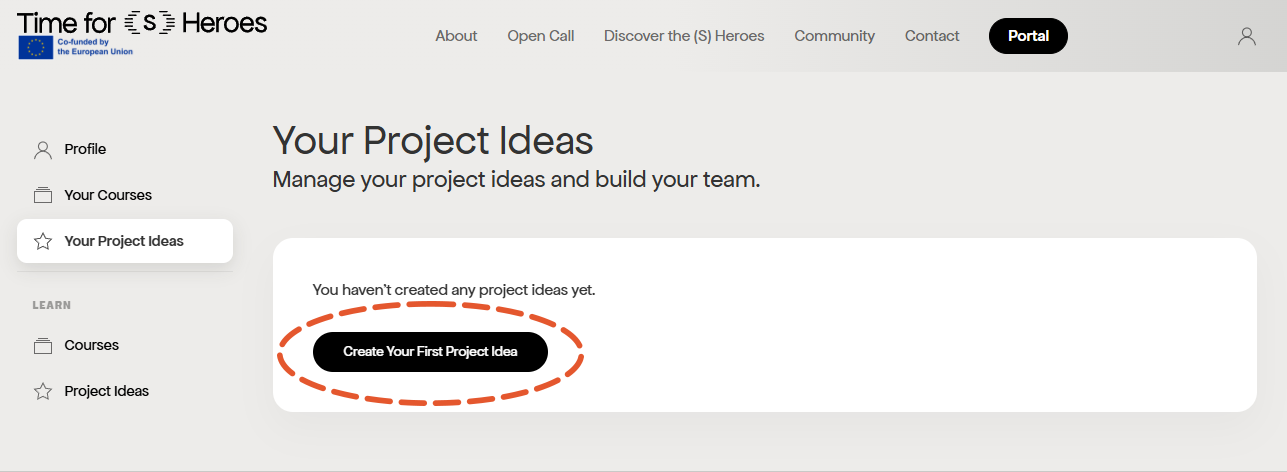
Step 1: Create your project idea
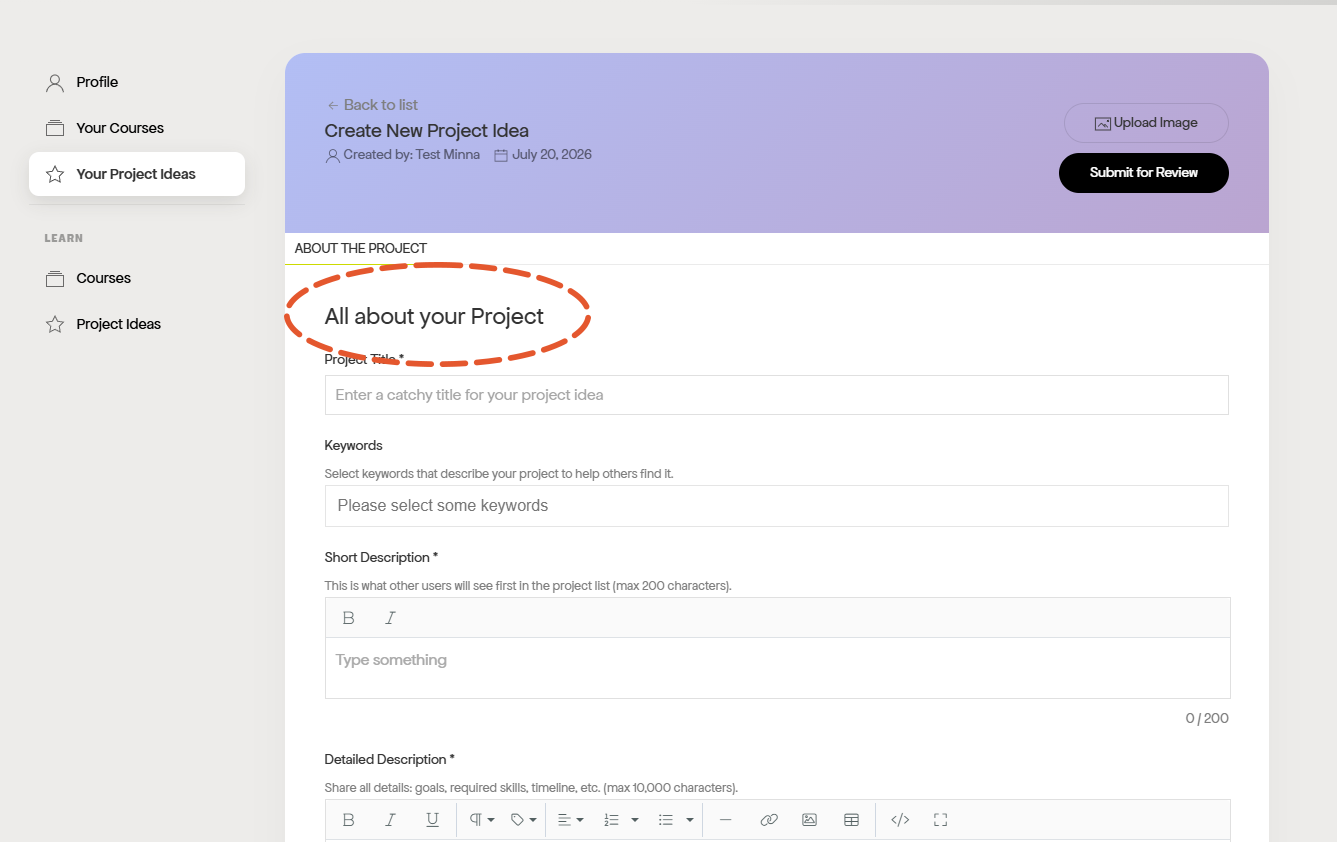
Step 2: Fill out the general idea of your project. At this stage, the idea does not have to be detailed or perfect.
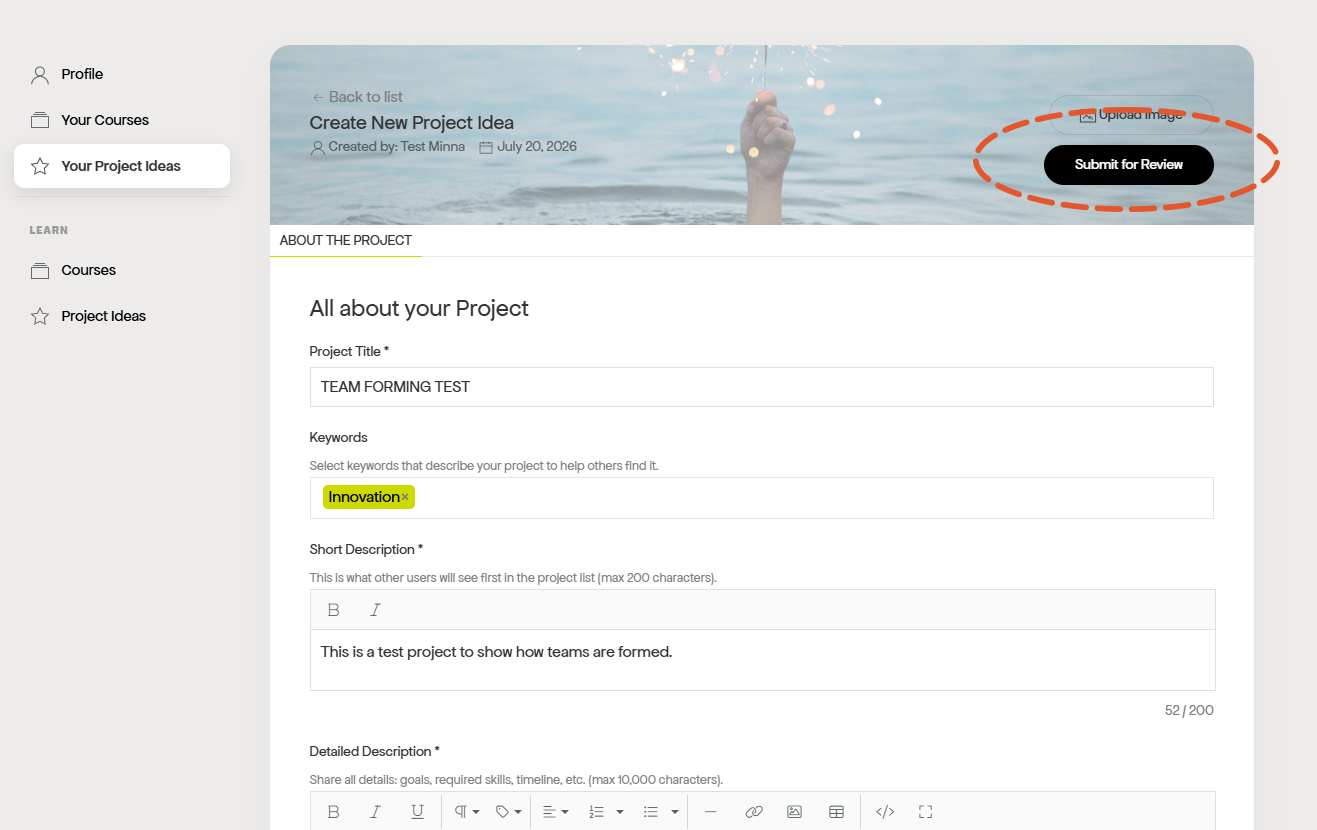
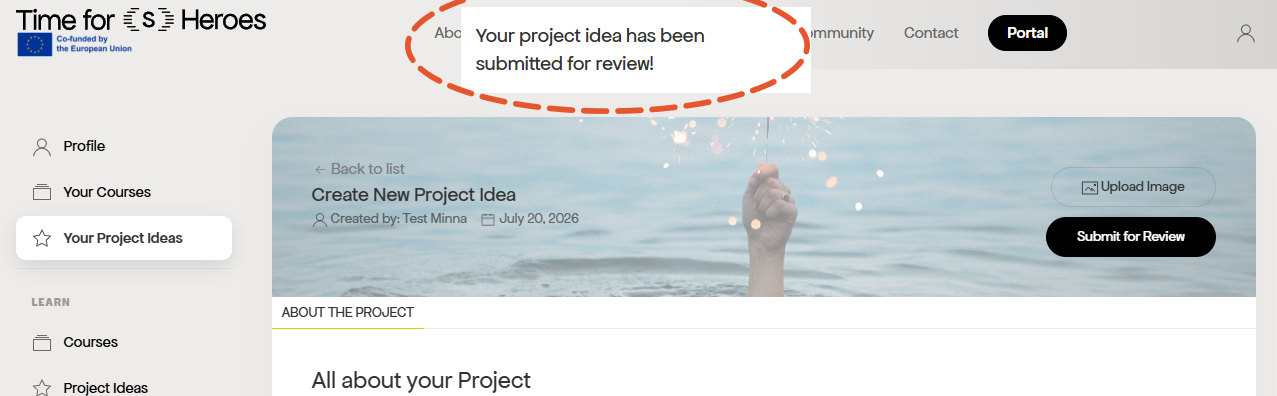
Step 3: Submit your project for review.
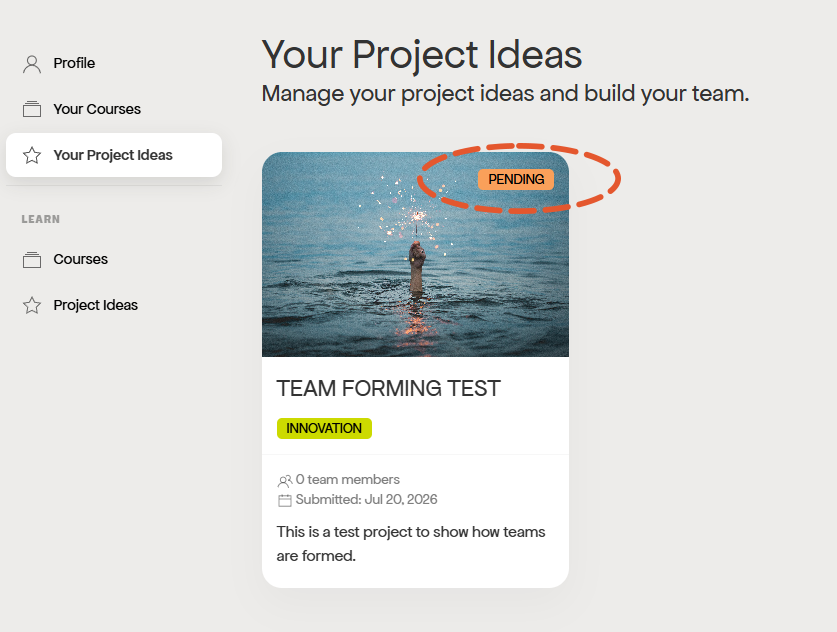
Step 4: You can see your idea with the Pending status in Your Project Ideas until it is accepted.
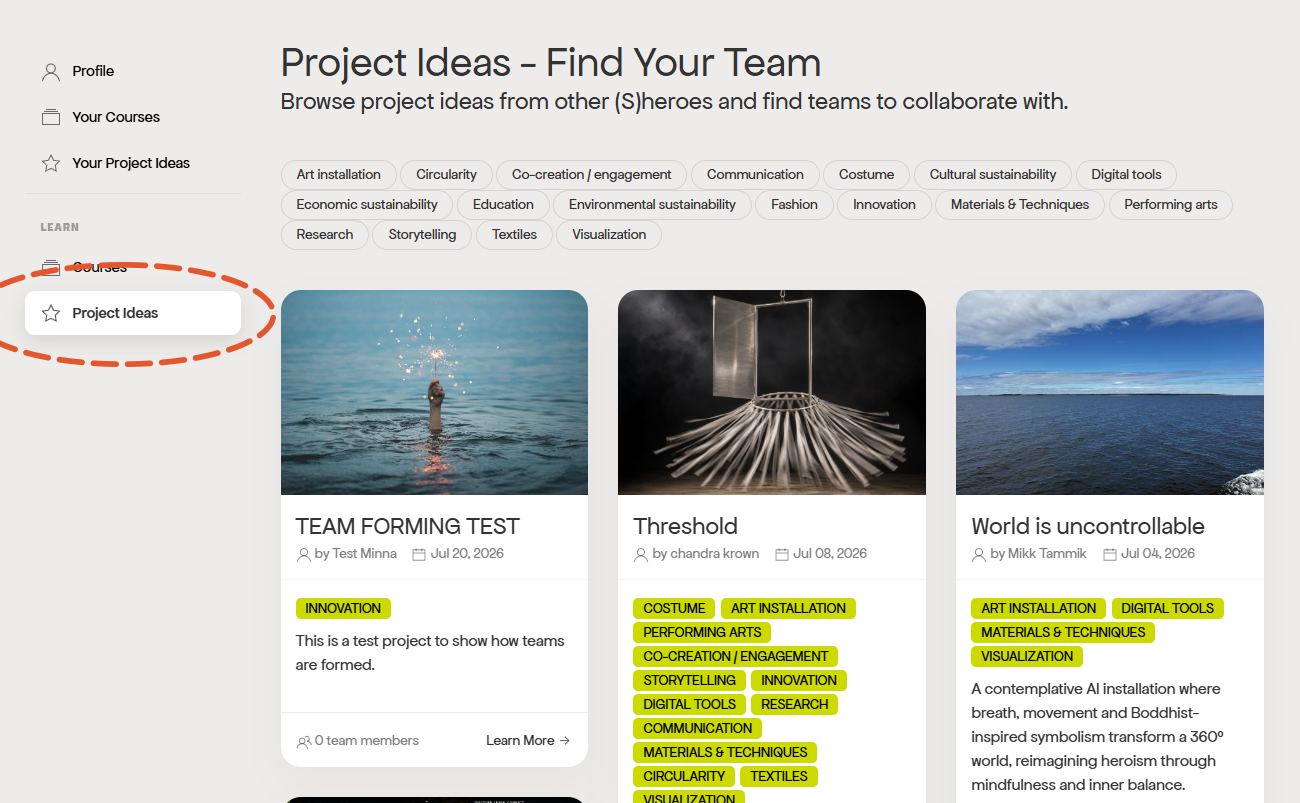
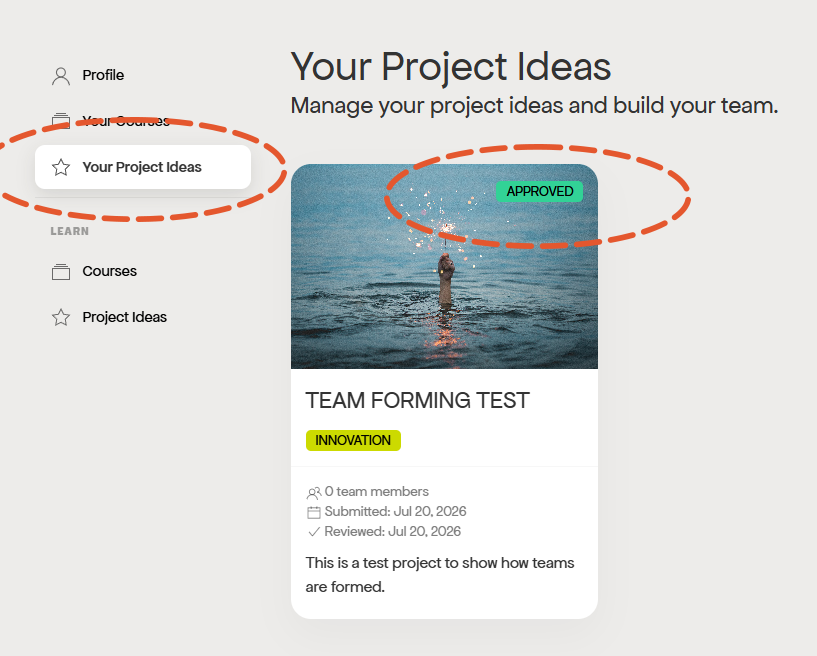
Step 5: When your project idea is approved, the status icon will change and the project will be visible to all Portal users.
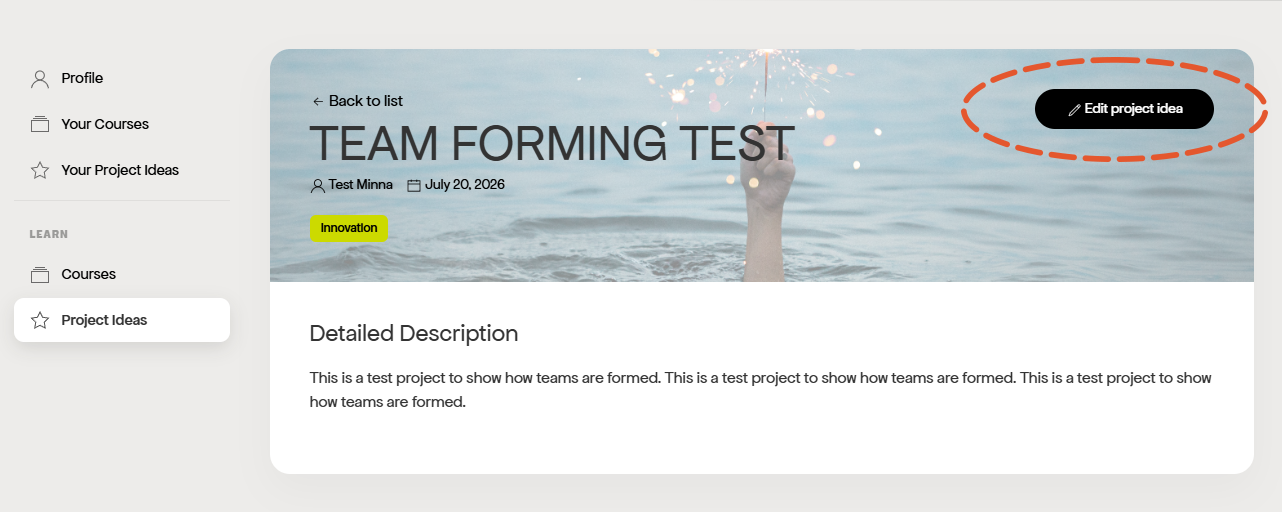
Note: You can edit your project idea through the Edit button at the top corner.
Project owner: How to gather team members
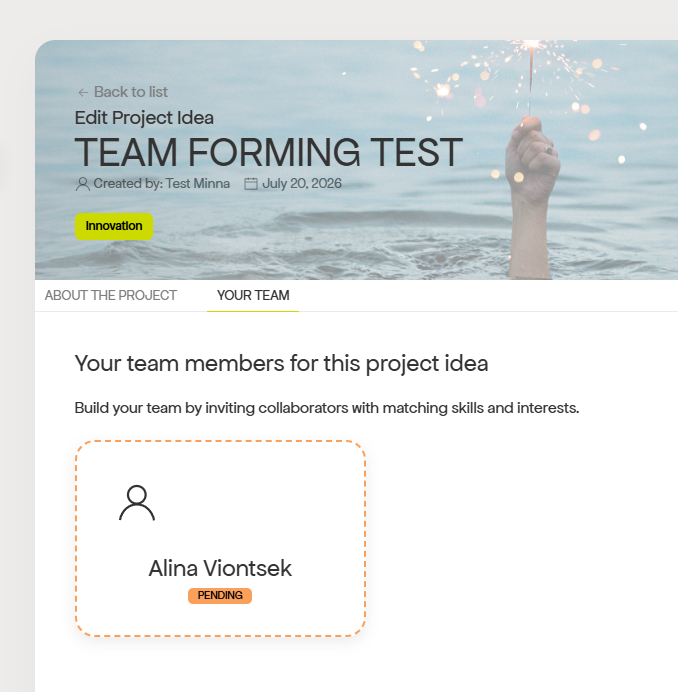
In your project’s page, in the Your Team section you can specify what type of team members you are looking for. Currently the available roles are Designer, Project Manager and Social Medialist.
Don’t forget to specify in your idea description what kind of people and skills you’re looking for!
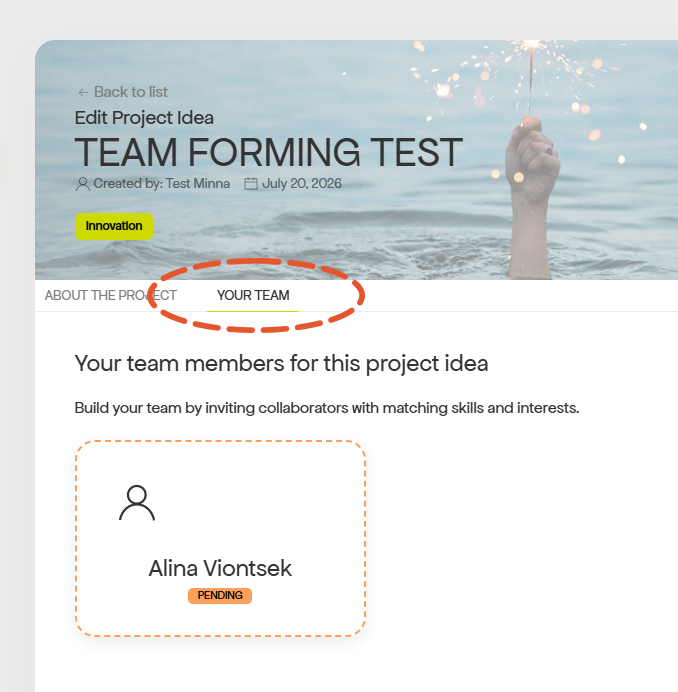
When someone applies to join your team, you can see it in the Your Team section.
You will receive an email notification about New Join Requests.
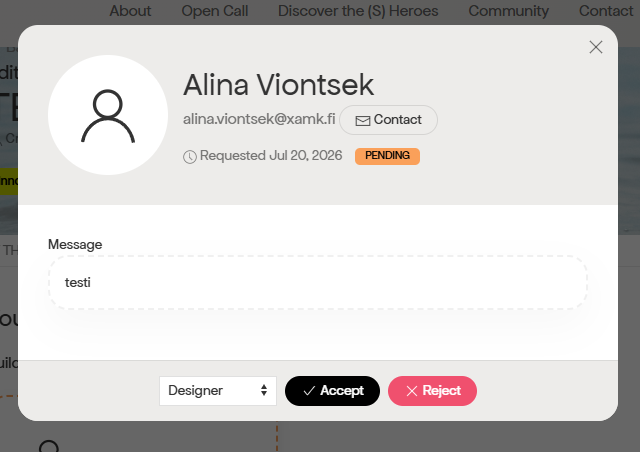
By clicking the person, you can see the message they have left for you and choose to Accept or Reject them.
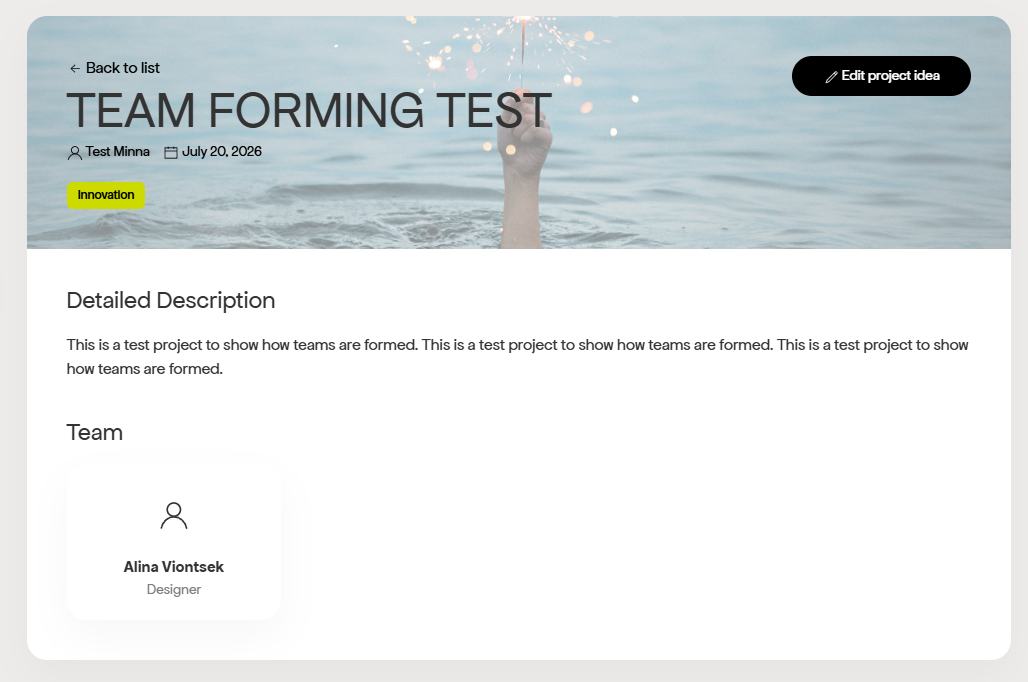
When you Accept a new team member, their names will show up at the project page for all Portal users.
Project joiner: How to join a team
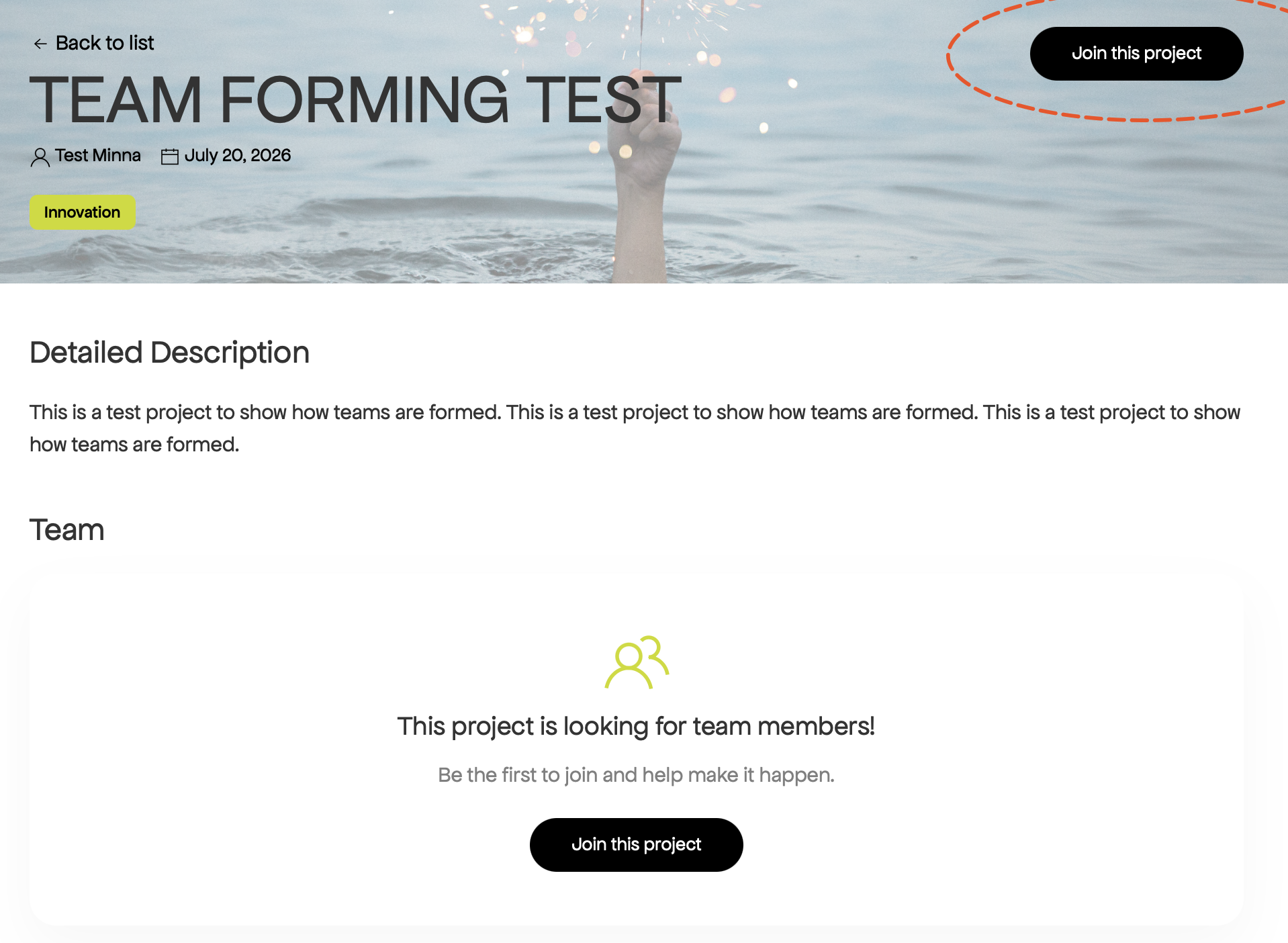
Step 1: Find an interesting project and click the Join this project button at the top right corner.
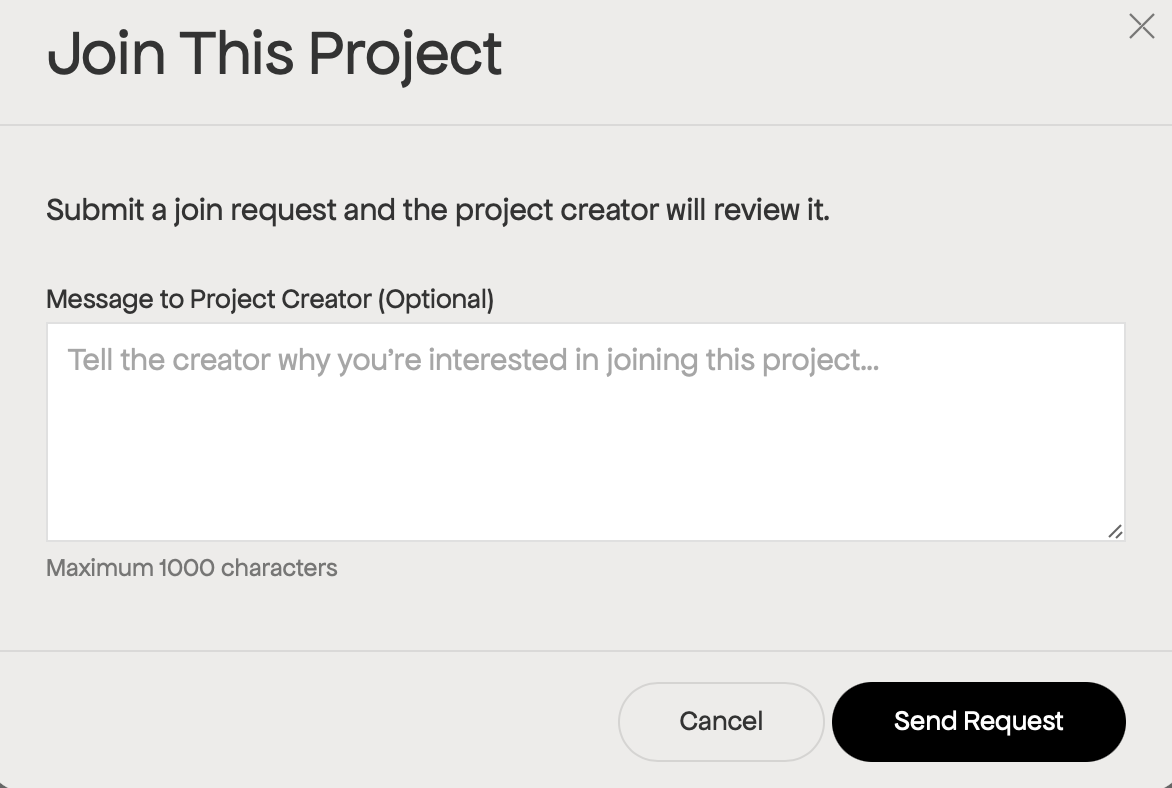
Step 2: You will be asked to write a short message to the project owner before sending the request.
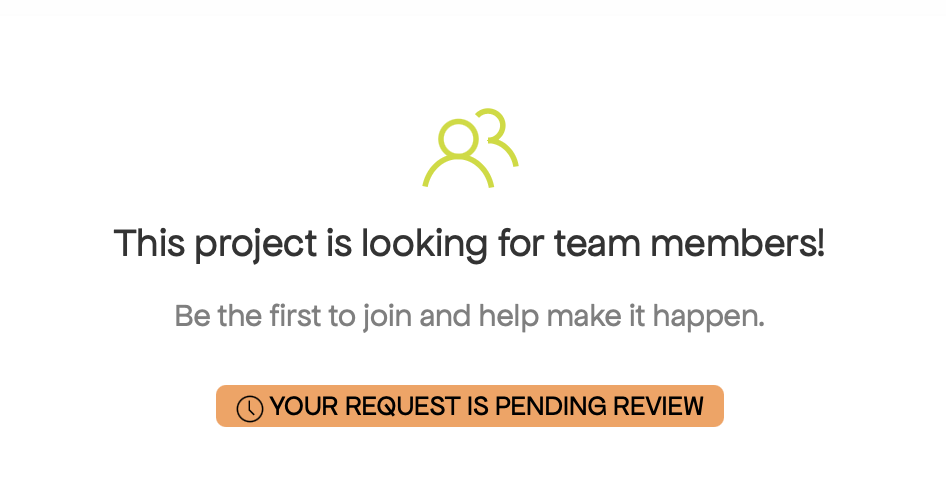
Step 3: After you have sent the request, you will see that your request is pending on the project page.
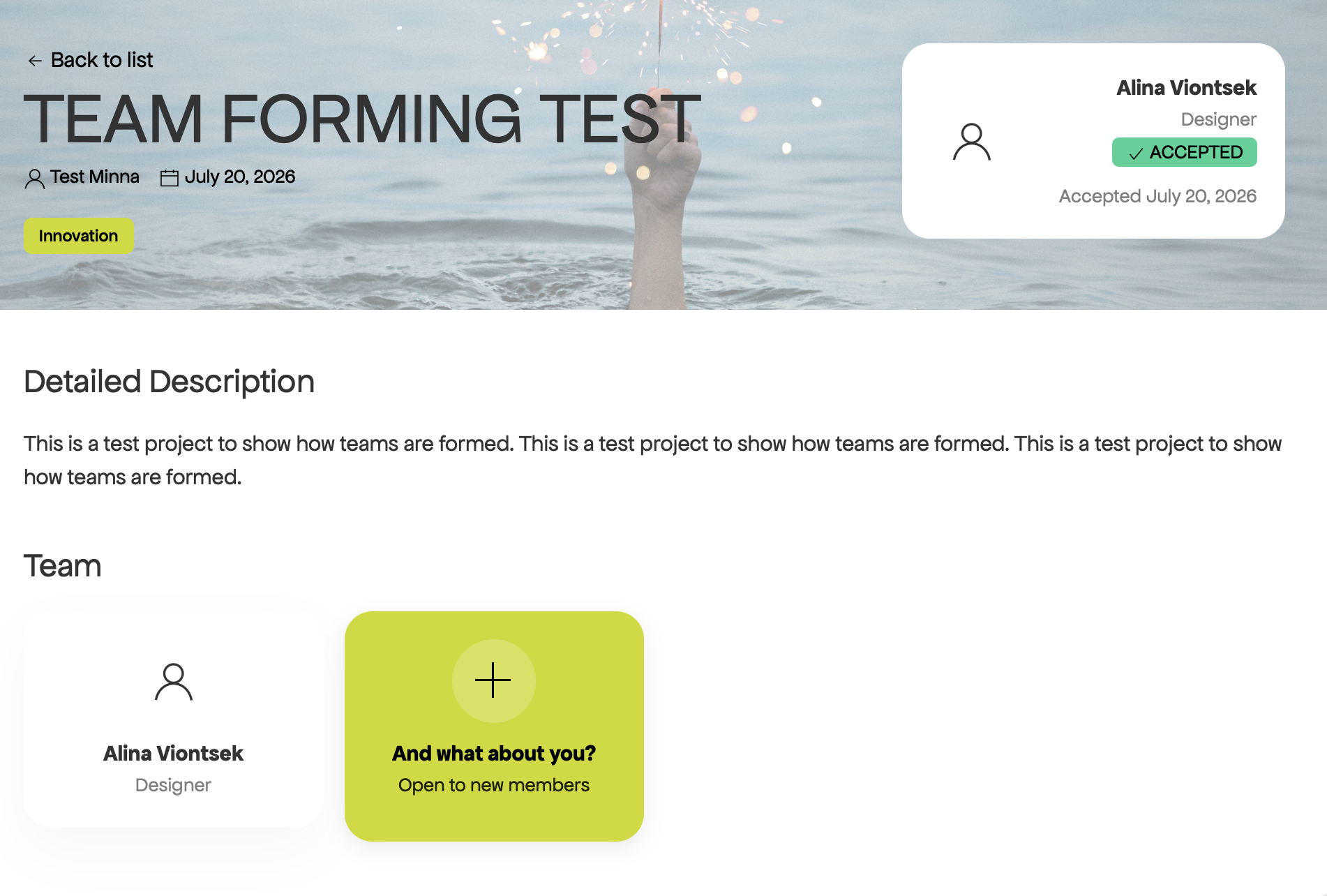
Step 4: When your request to join the team has been approved by the project owner, your name will show up at the project page.
Creating or joining a project is the first step towards collaboration in the Time for (S) Heroes Digital Portal. We hope this guide has given you a clear overview of the process and made it easier to navigate the different stages. Whether you're ready to share your own idea or contribute to an existing project, the portal is designed to help you connect with others and start building your team.